Path Finder
Full redesign of a D.C. Government web-based application; focused on providing resources for those seeking a career change.
Product Type: A mid-fidelity web-based tech infrastructure platform
Team: 3 Members (Project Manager, Research Lead, Interaction Designer)
Duration: 2.5 Weeks
Role: Research Lead
Tools: Axure, OptimalSort, Google suite, Zoom, Slack
Mission
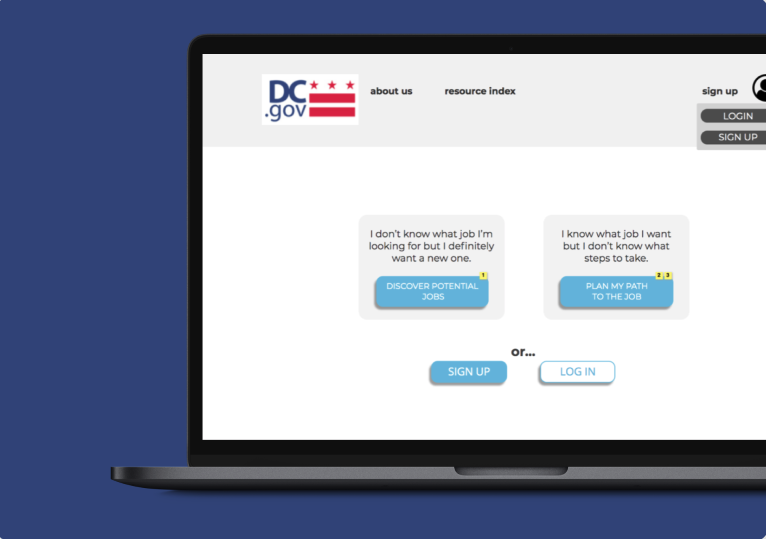
Create a Path Finder Platform so someone with little understanding of a career outside their own, should be able to explore industries, trades and professions and land on a role that is in line with their interests, providing them a way to learn and plan for the path ahead.
UX Research Process
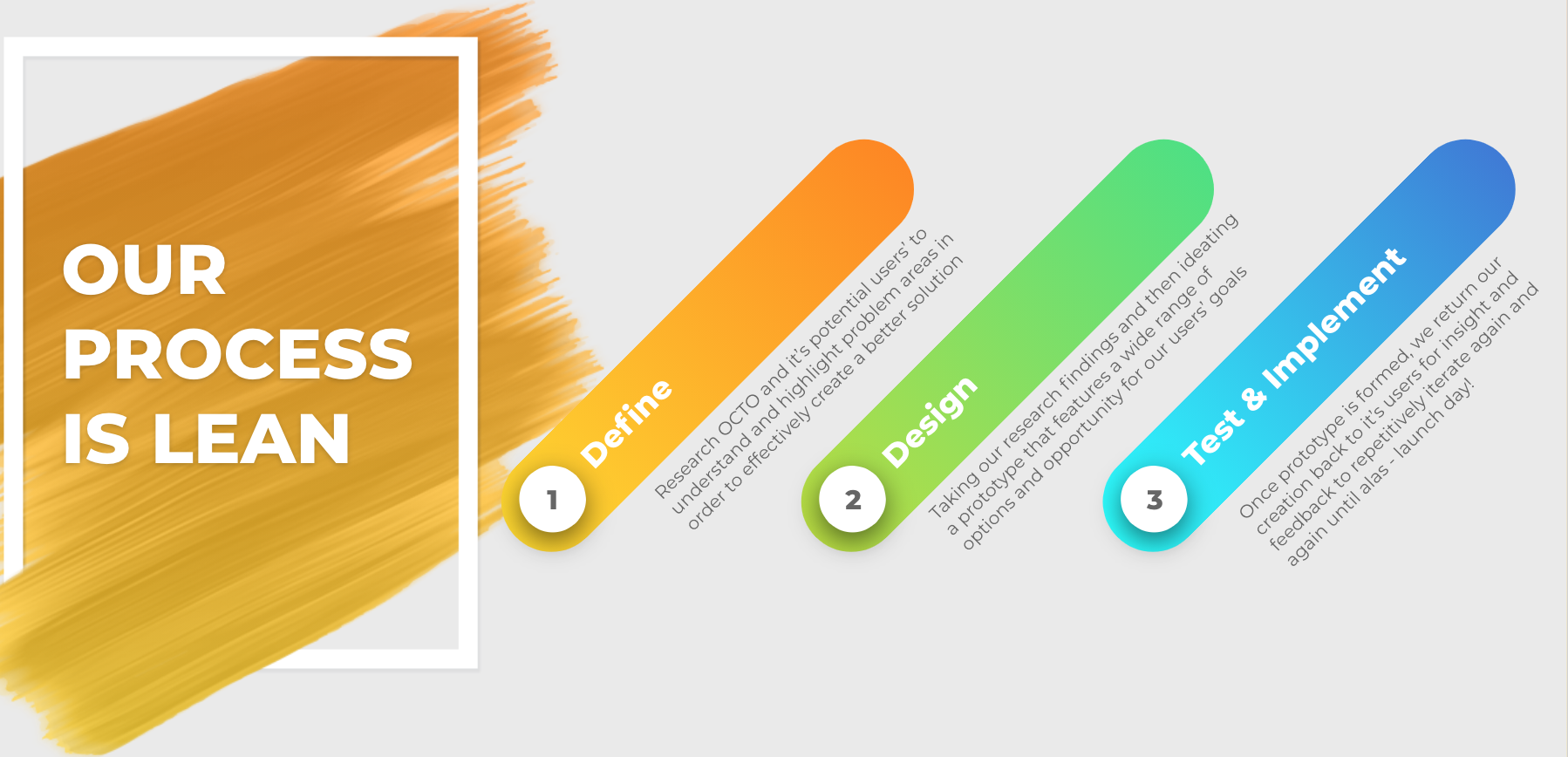
Define: Heuristic Evaluation, Competitive analysis, User surveys, User interviews, Synthesizing data, Personas, Problem statements
Design: Card Sorting, Information Architecture, Sketches, Paper Prototype, Wireframes
Test: Remote Usability Testing
Iterate: & Repeat
Next Steps
Summary
OCTO is the central technology organization of the District of Columbia Government. They develop, implement, and maintain the district’s technology infrastructure. While the City of DC is set on leveling the playing field by providing access to internet, resources and job opportunities, and by expanding their tech community, they need assistance in helping the community see a different future than the ones they already know.
Heuristic Evaluation
Currently, OCTO’s information Architecture is a bit confusing and convoluted. We were only able to find their current job seeking page through a google search rather than through their home page.
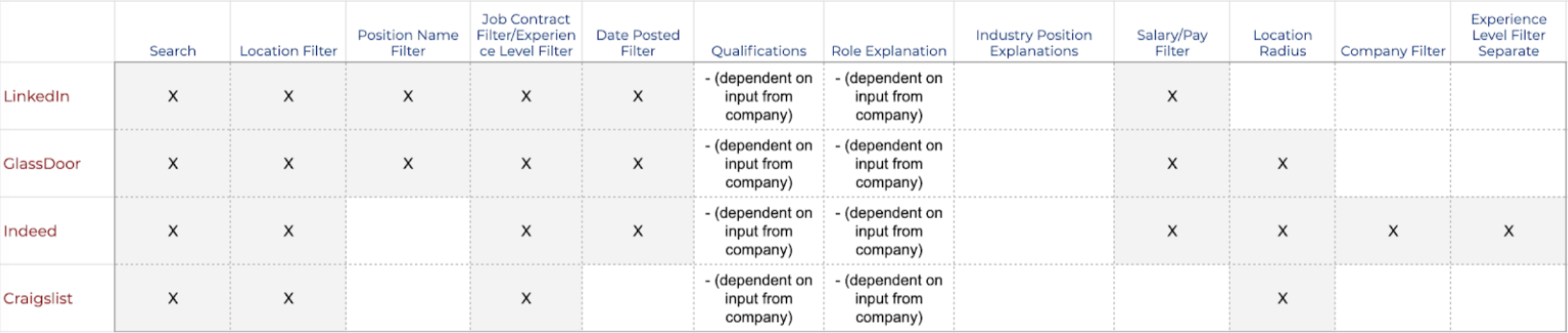
Job Board Comparisons
OCTO’s main competitors are Linkedin, Glassdoor, Indeed and Craigslist.

Career Change Guides
OCTO’s main competitors in this sector are PathFinder, ASA, Futurescapes, and Career Explorer.
User Surveys
Conducted through Google Forms.
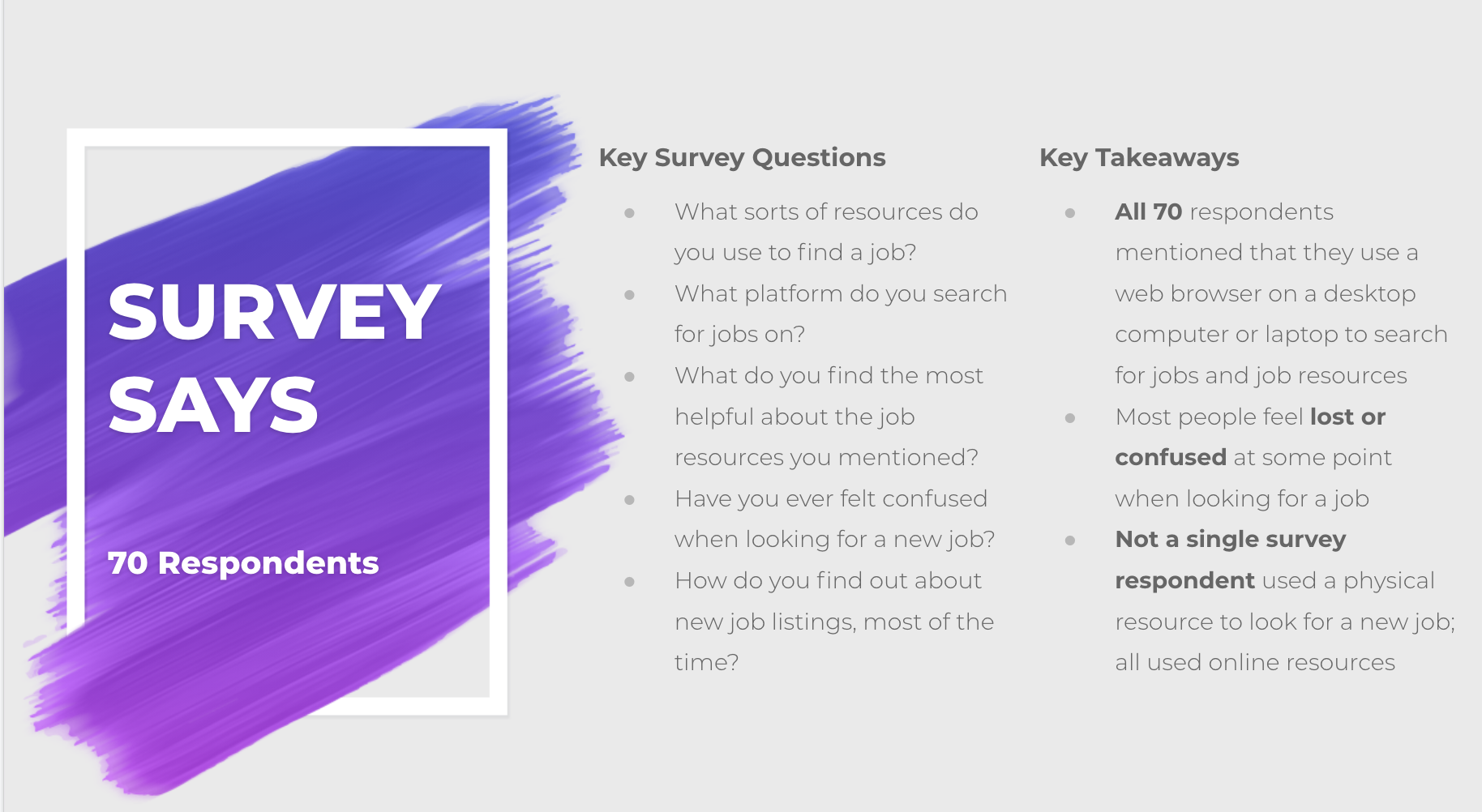
Target was 70 respondents and by doing this we wanted to learn the following:
What resources were being used?
How they were being used?
Have users had any prior frustration or confusion while using career resources?
User Interviews
After sifting through our screener surveys I chose 16 participants (ages 22–55) to conduct user interviews and gather more in depth understanding of who these users are and what their purpose and intentions are with using career resources. Users represented 14 different careers, with some users having held positions in up to 6 different fields.
Setting my Intentions
Purpose: Conduct generative research to gather insights on career resources and find the gap that lies between users and achievement of their career goals. Additionally, when someone starts to identify goals, dream jobs or possible career opportunities, we’re trying to make it clear how to get there and what it takes.
I wanted to get to know people on a more personal level and genuinely create a website that helps aid in their career search rather than confuse them.
I created a Test Plan with 16 questions to share with my fellow colleagues as well as an Interview Schedule before we dove in to keep things organized and in order.
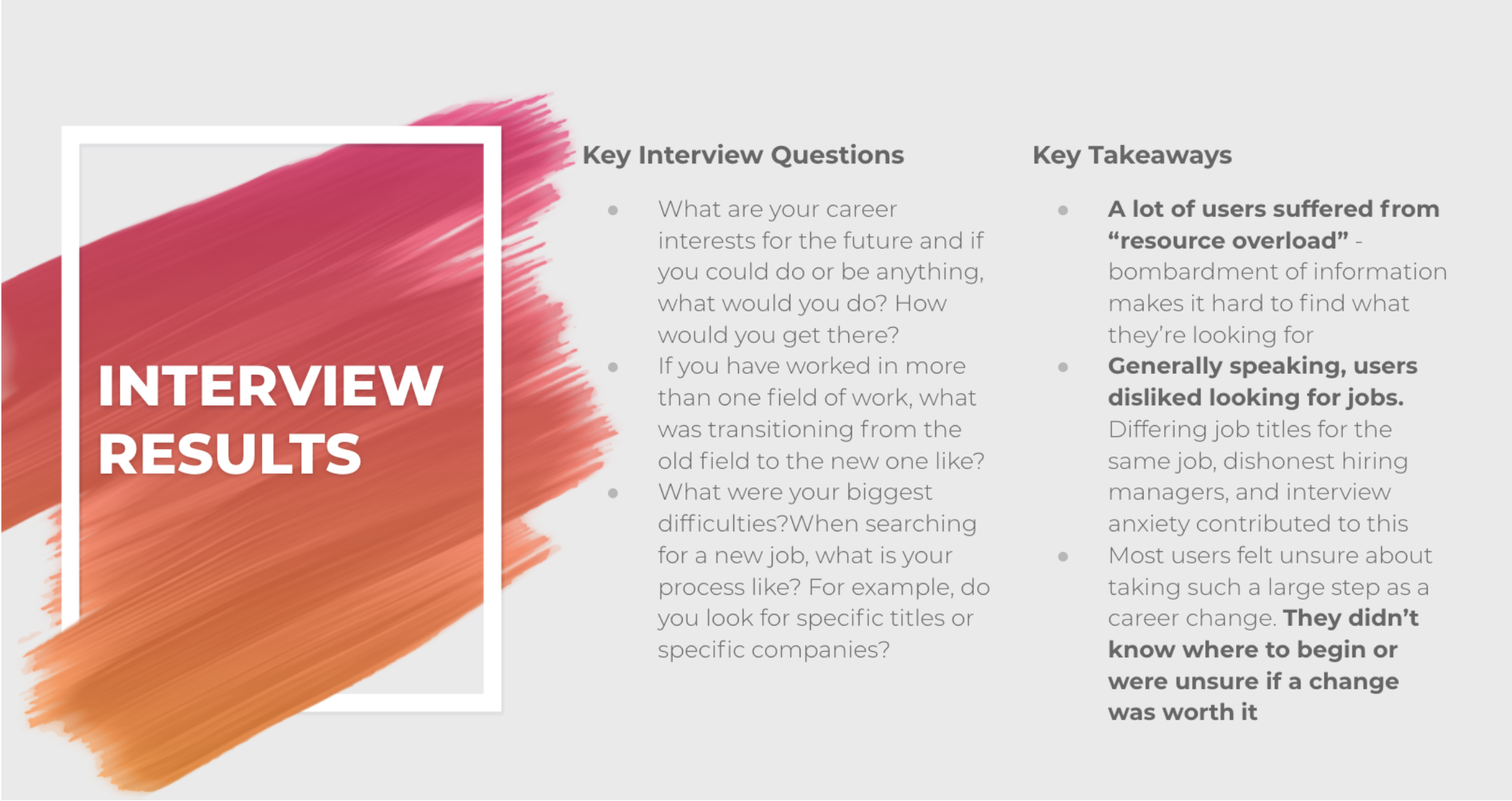
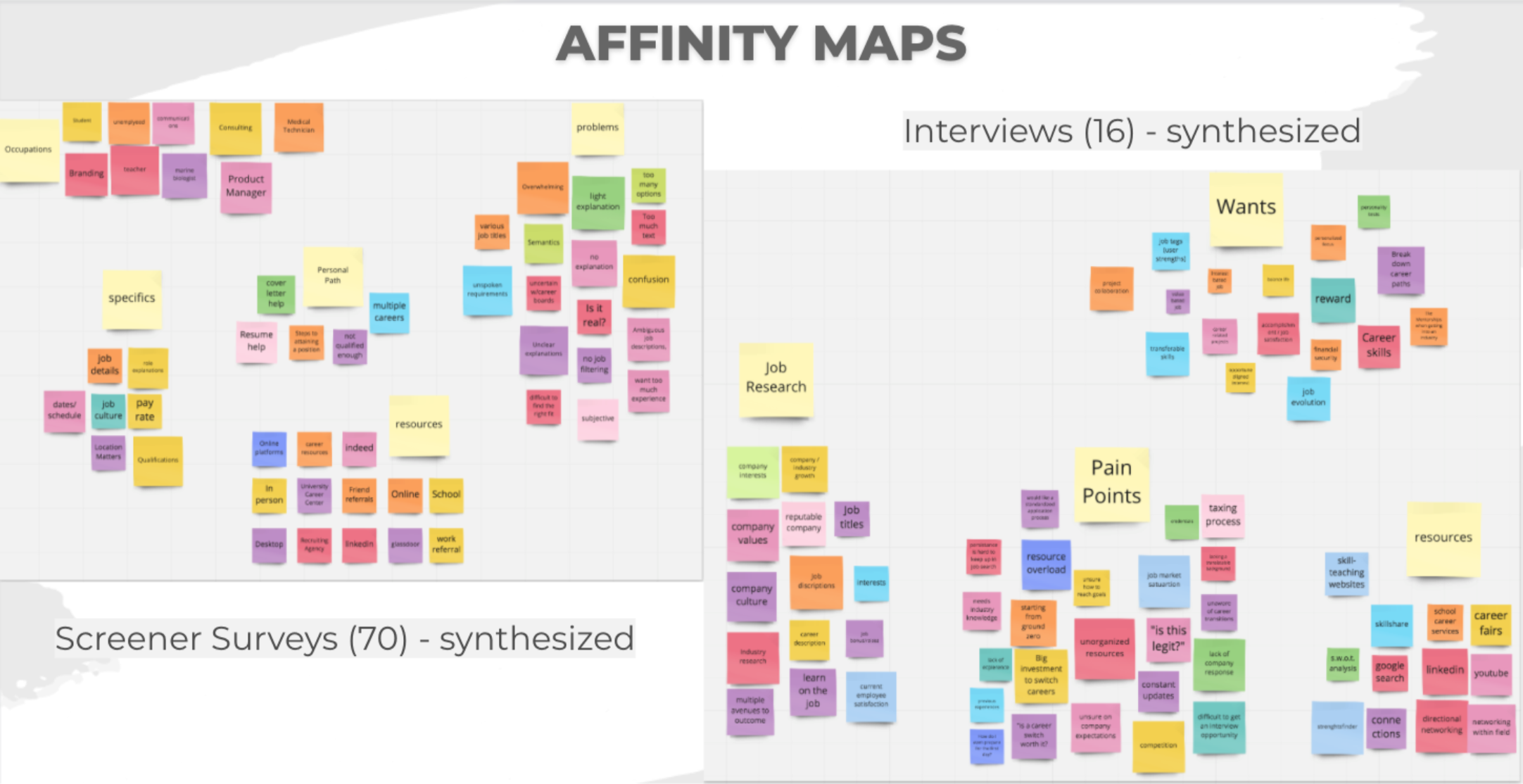
Affinity Mapping was part of my process to synthesize all the information from our surveys and interviews. In total, we had over 33 pages of notes, so a lot of good information to sift through. Now it’s up to us to turn that information into something physical and tangible for our users.
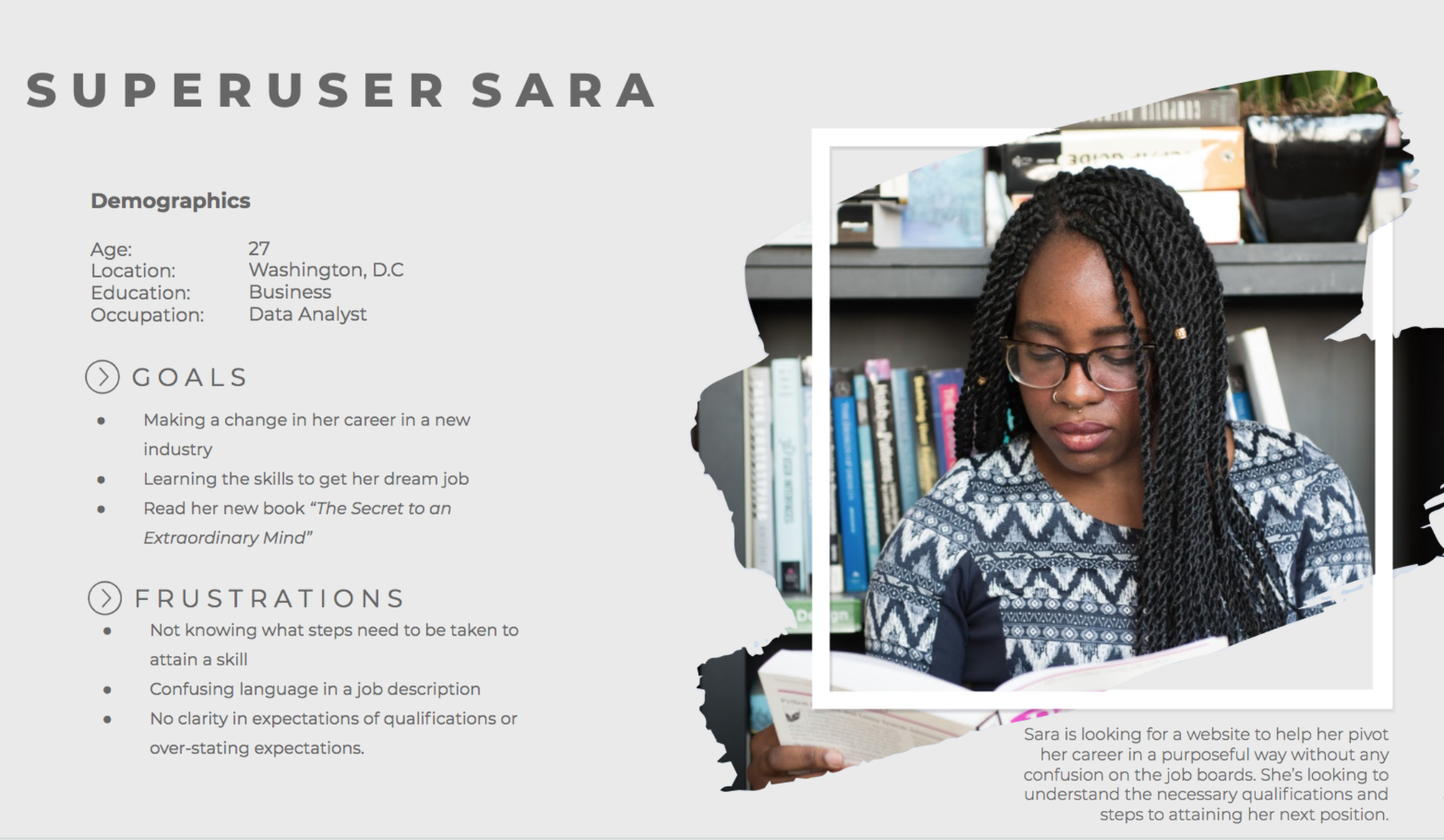
Personas & Problem Statements
We created two personas and problem statements for each type of user:
The user that doesn’t know what job they want but definitely wants a new one
The user that knows what job they want but doesn’t know how to get there
Then, we took these two personas and problem statements and created an overall persona to better help us identity with the user we are designing for.
Design
Card Sorting and Information Architecture was the next step before diving into our sketches.
Through OptimalSort we received over 12 particpants
For our IA we broke our website design into two areas:
Discover Careers
Pave My Path towards a Career
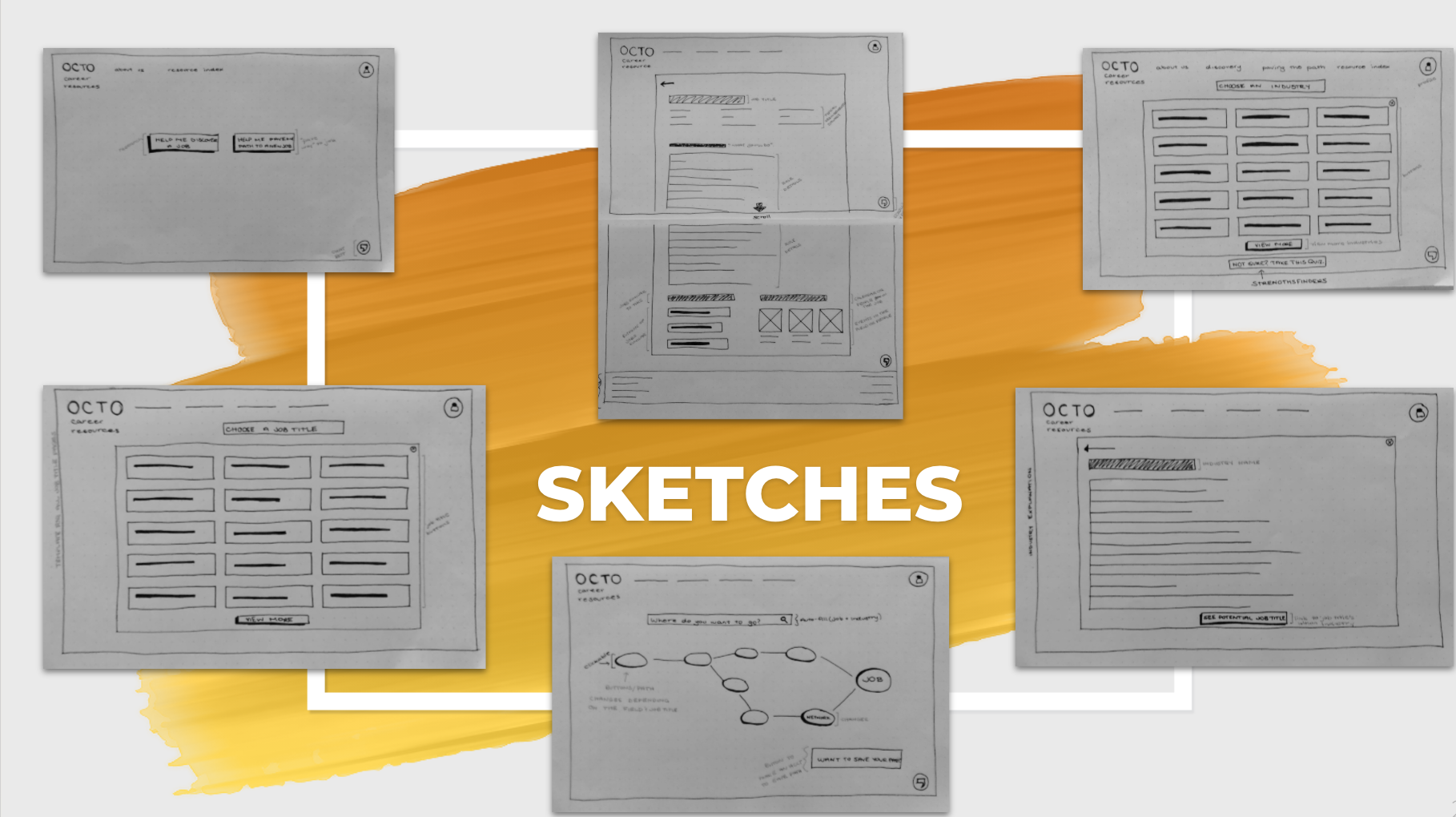
Prototyping in Axure
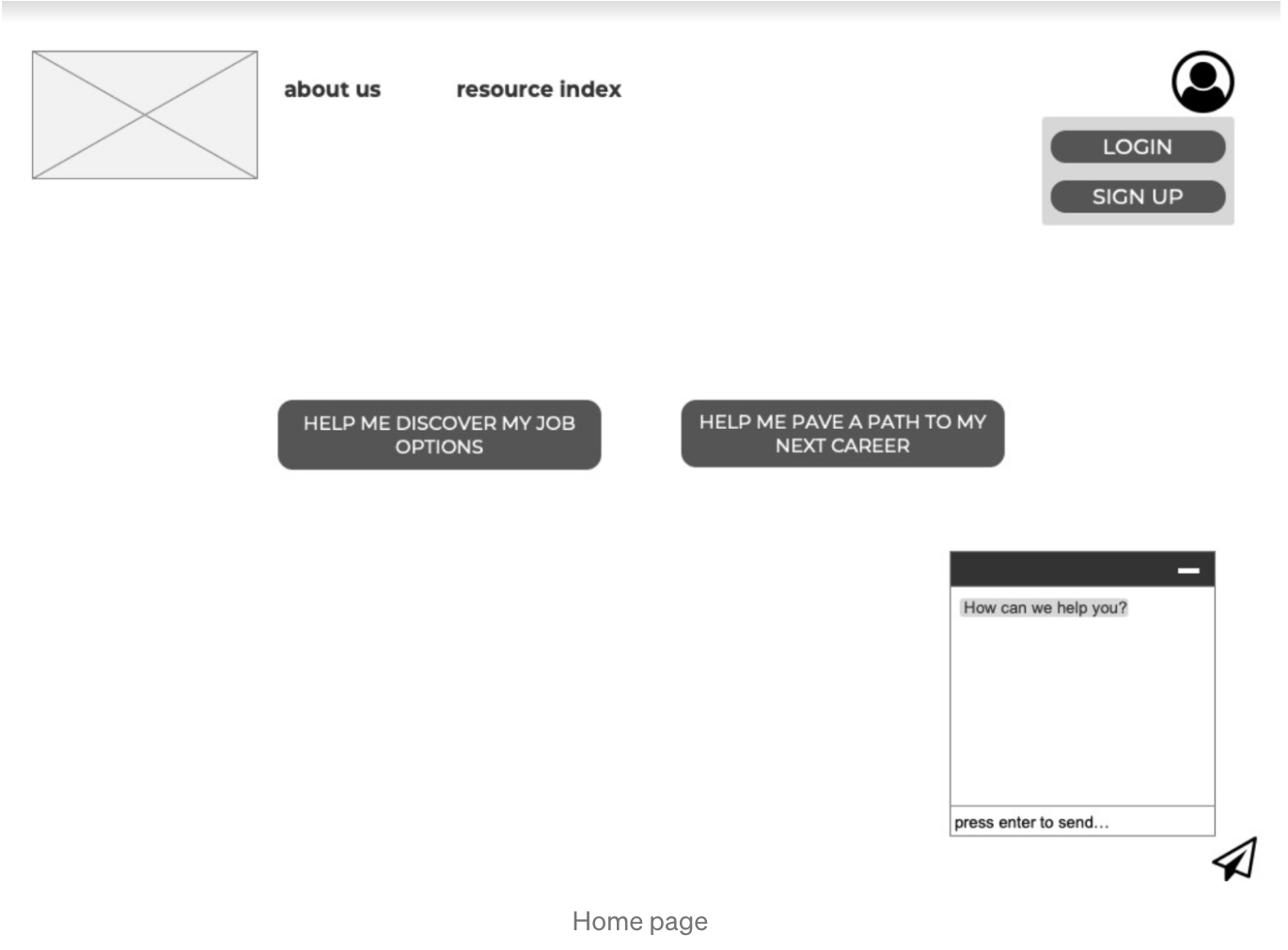
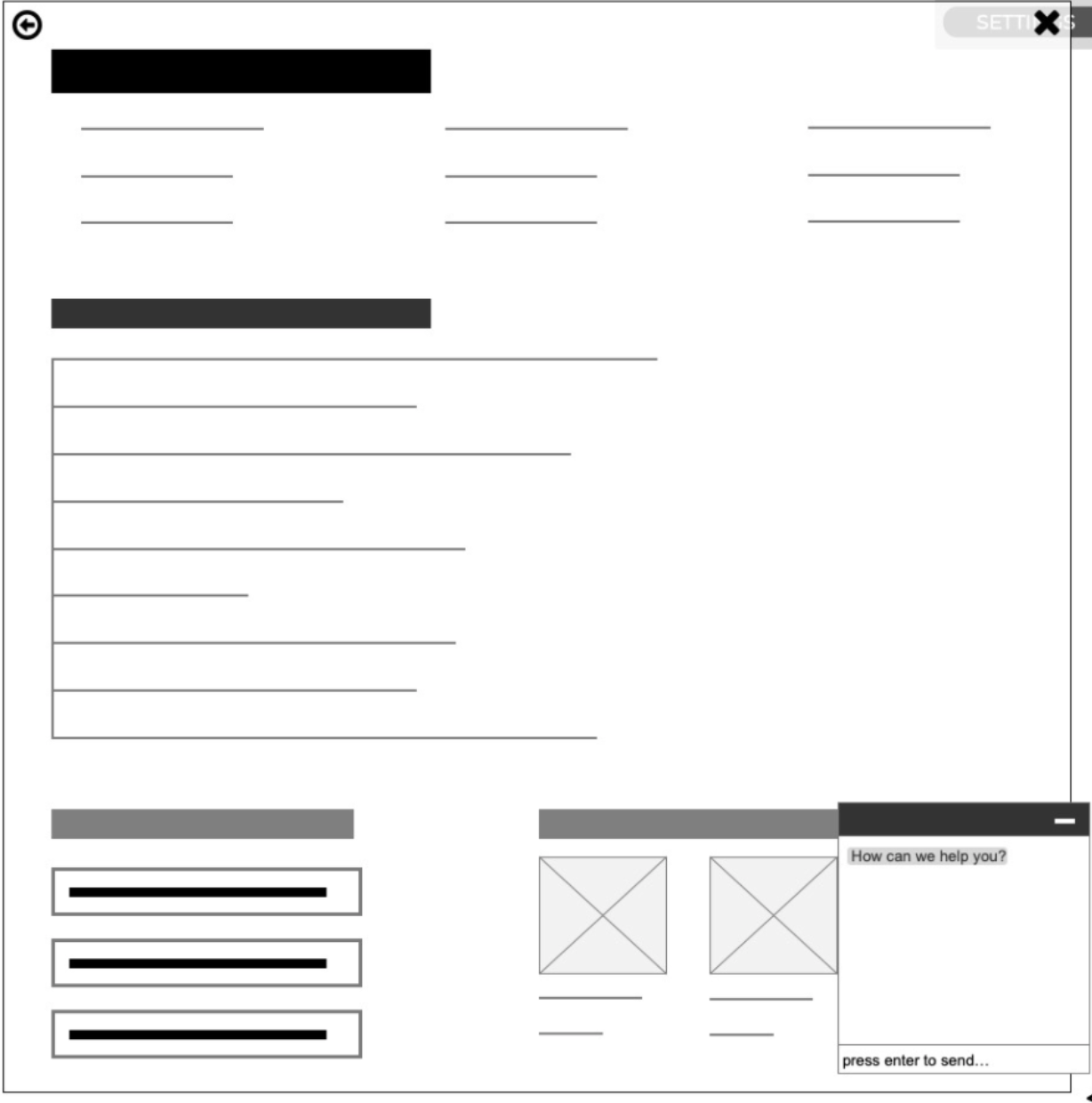
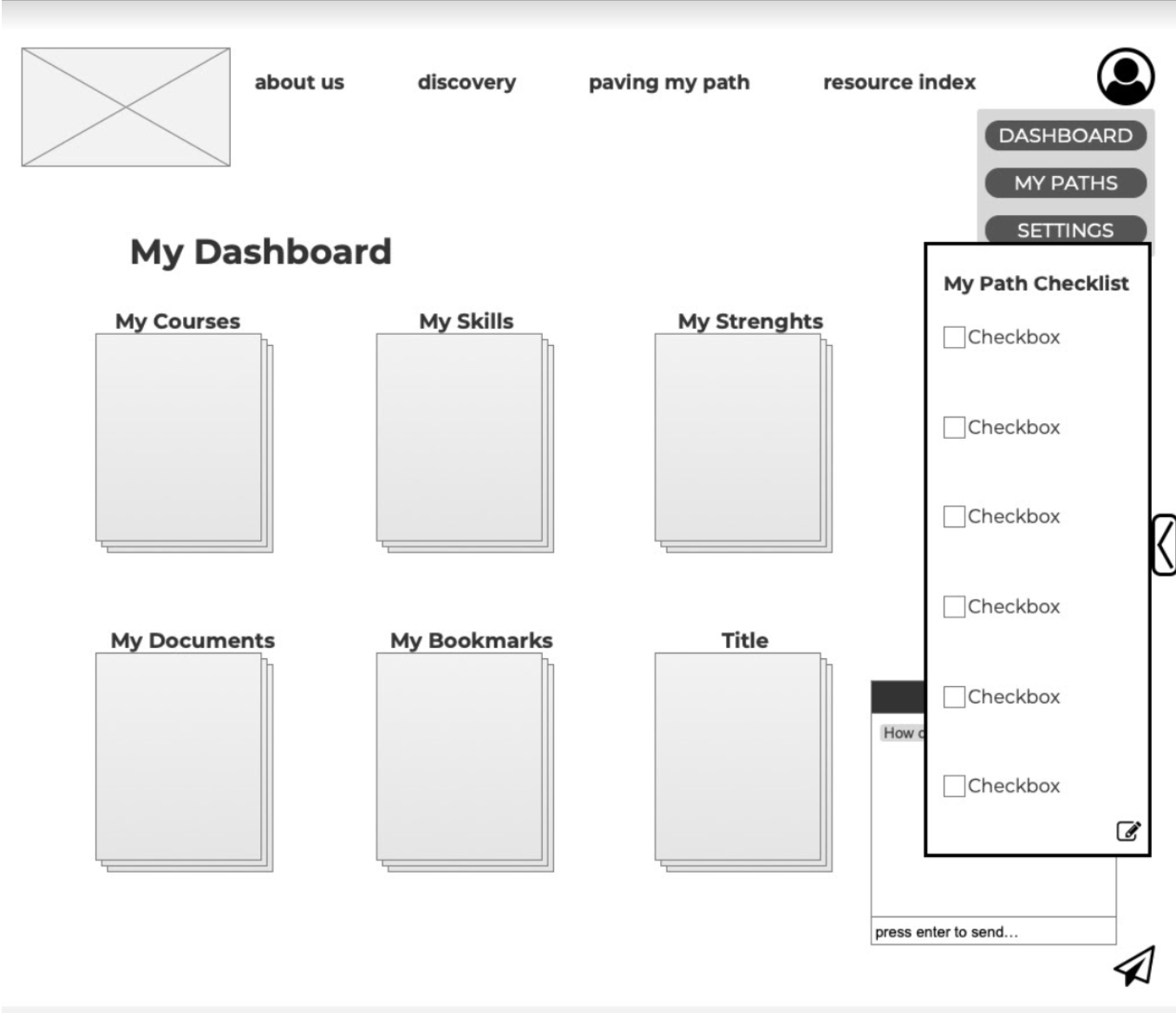
My team quickly transitioned to start collaboratively working in Axure. We conducted rapid prototyping to create a rough draft clickable version of our website so that we may further test and iterate. The following are some examples of our prototype before testing.
Testing & Implementation
Now that we have a clickable prototype it’s time to return our creation back to the users for insight and feedback to repetitively iterate until at last, a presentable digital product for our client.
Mission: To test the highlighted features of our OCTO website and the functionality of each feature through task and scenario based user testing.
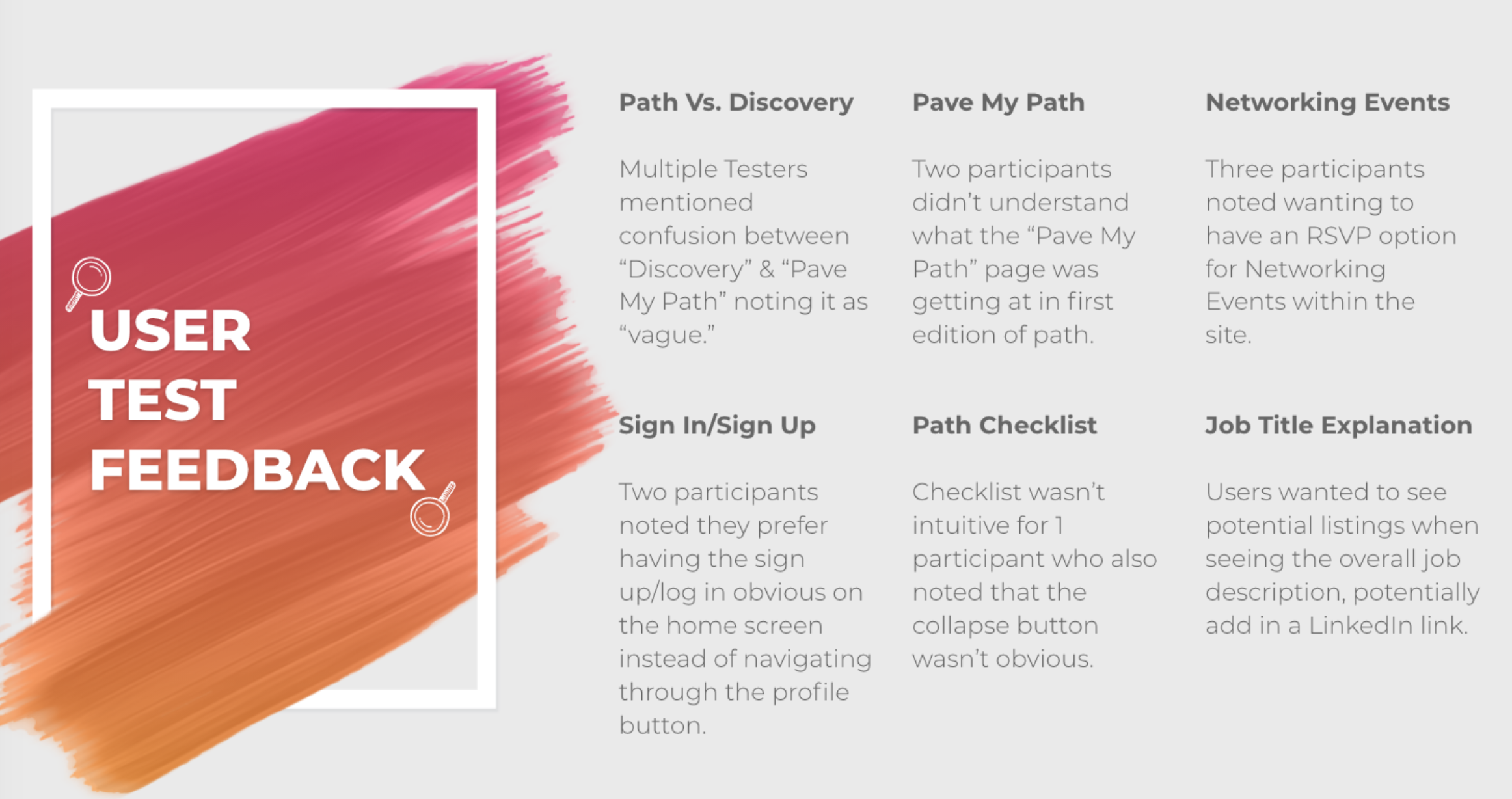
We conducted 5 in-depth tests and gained the following feedback.
Introducing OCTO
Functioning Mid-Fi Prototype
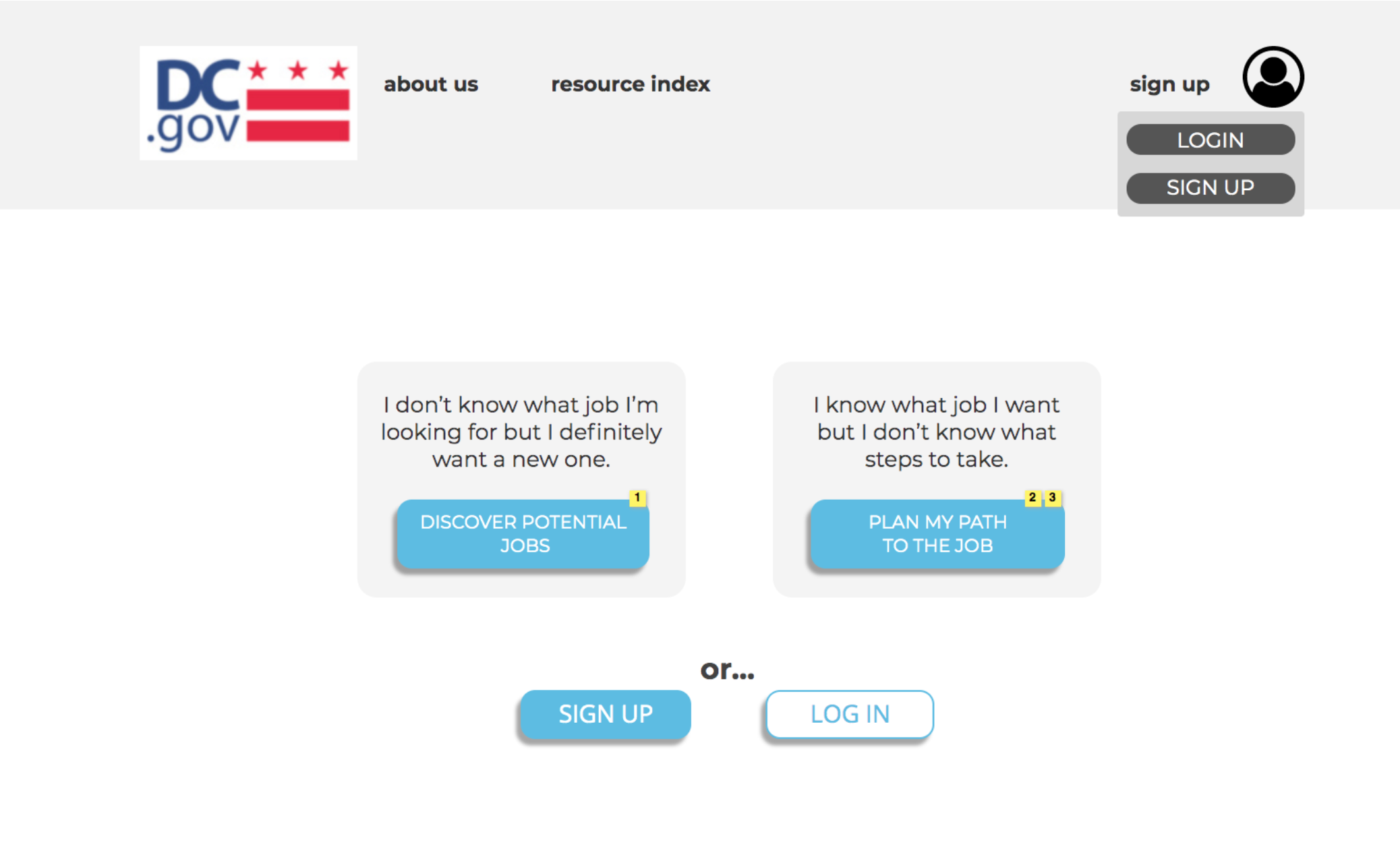
On the home page, we changed the main buttons verbiage for less confusion around each topic. Users also felt that the login and sign up buttons were hidden under the profile drop down menu. So we created an option to access directly on page as well.
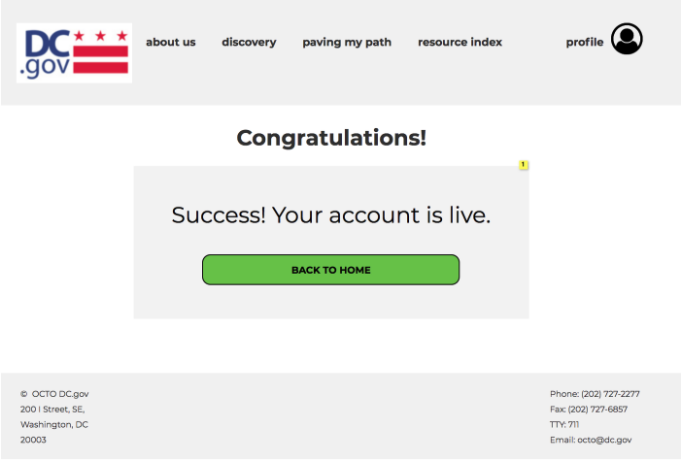
Additionally, when users created an account there was confusion around whether action was even taken. Originally it lead them back to the home page without a confirmation. So we created this confirmation pop up then users are lead back to a ‘logged in’ version of the home page.
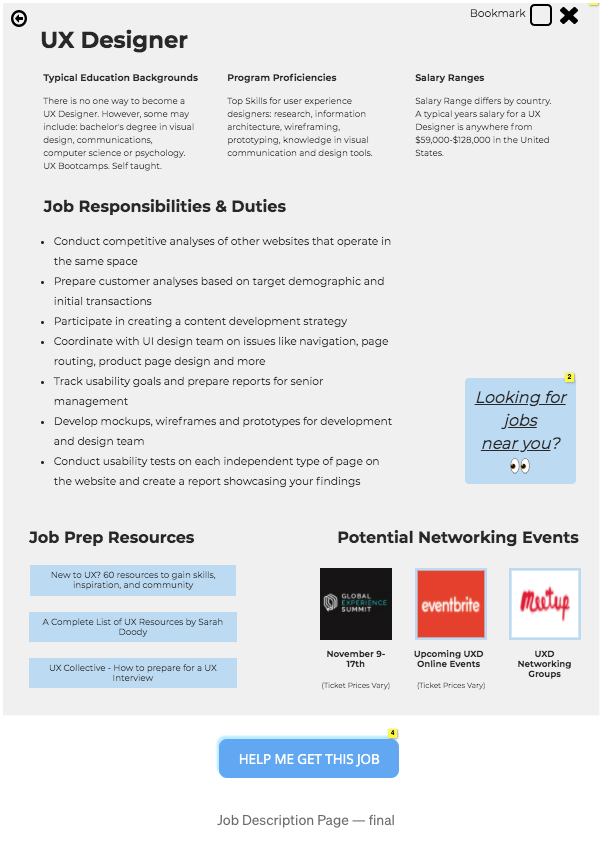
For the Job Description page: users expressed they wanted the option to add job title directly to path. So we implemented this ‘HELP ME GET A JOB’ call to action button at the bottom. Users also expressed they would like to see external links to job searching platforms so I added the ‘Looking for jobs near you’ button as well
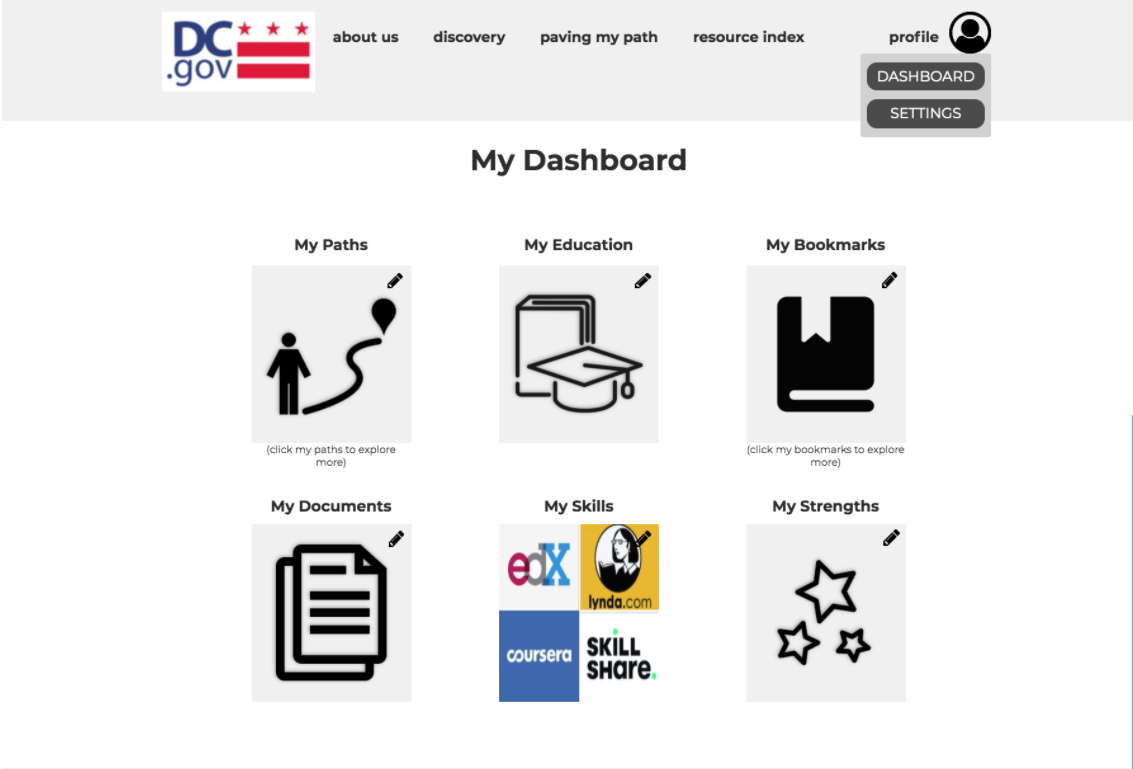
For the Dashboard Page users expressed it would be more intuitive for the ‘My Paths’ page to be added to the dashboard instead of dropdown menu. I implemented just that along with a few alignment changes and a edit feature in the top right corner of each icon.
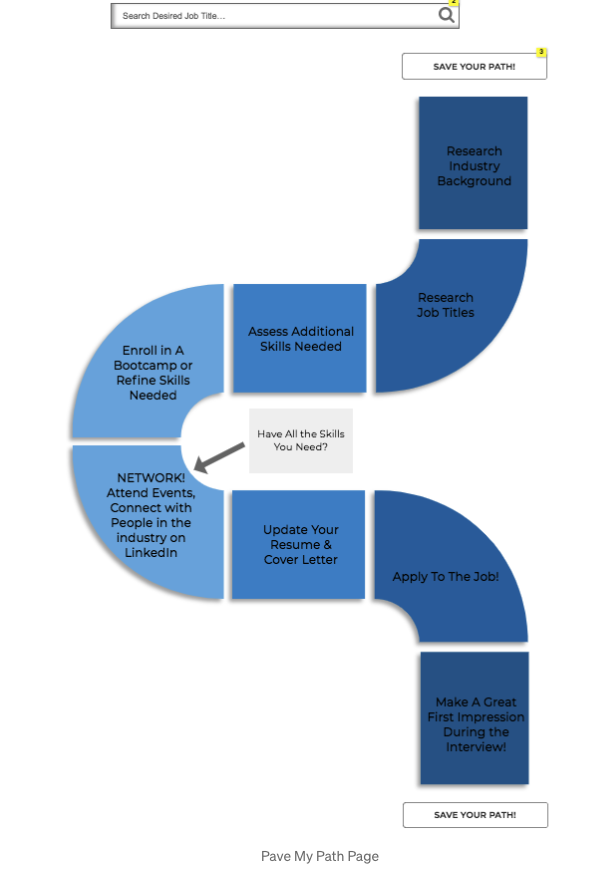
For the Pave my Path Page: users noted that a more intuitive path imagery/process could be implemented. We made it similar to the board game Candy Land and switched to a vertical layout.
Next Steps:
More Resources, More Career Fields, More Jobs
Integration with other job board platforms like Linkedin, Glassdoor, etc
Another Idea to Note: Dynamic Pathing-not all users are the same, and thus not all users take the same path to the same job. OCTO Careers paths should be offered as rough guidelines, rather than a set-in-stone path. Adding path variations and customizable editing for a more personalized experience would be key.
Last but not least we thought to implement a percentage tracker on work completed to help aid and reward users for completing tasks along their journey.