Keezy Pro

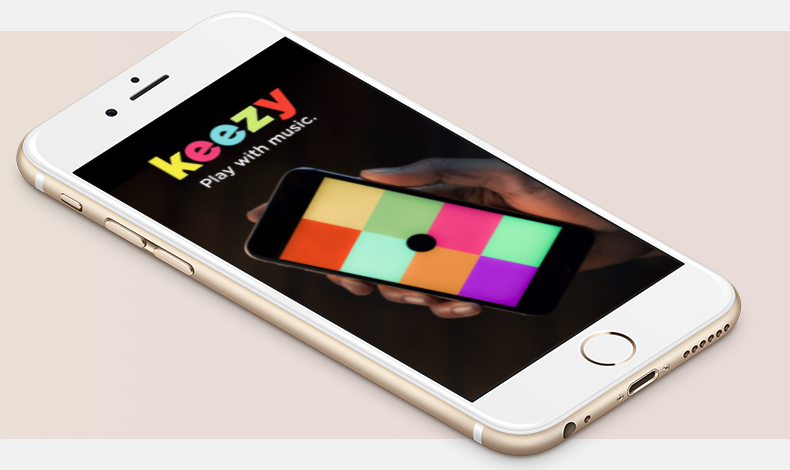
Keezy Classic (original app)
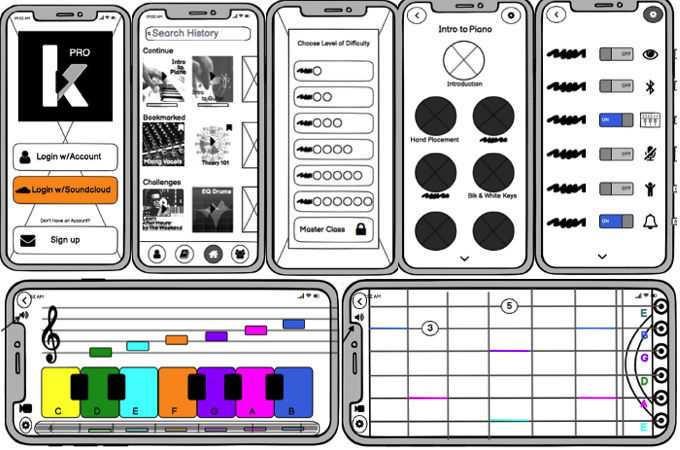
Keezy Pro (after full redesign - low fidelity)
Summary:
Keezy Classic is a musical instrument for toddlers, professional musicians, and everyone in between. It consists of an eight block interface where built-in sounds can be looped together to make a song. You also have the ability to record and loop your vocals.
Keezy is currently looking at an uncertain future ahead. My task was to explore ways to develop on the MVP that is true to the Keezy Classic.
Mission:
A full redesign, or add new features to the existing phone application.
Time Frame: Two Week Design Sprint
Role: Solo Project
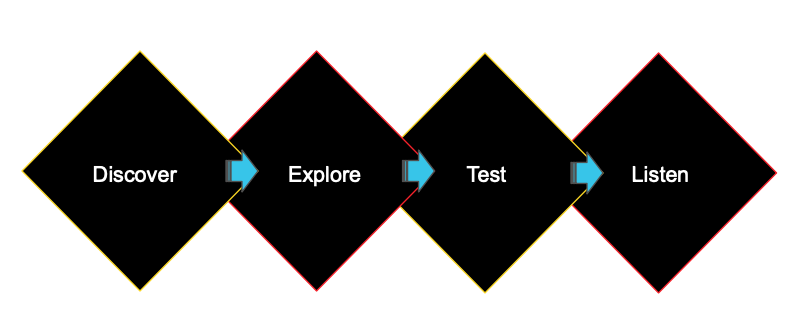
UX Research Process
Discover: Constraints Gathering, Product Testing, User Interviews, Comparative analysis, Synthesize Data
Explore: Competitive Feature Analysis, User Personas, User Flows, Sketching, Paper Prototypes
Test: Moderate Usability Studies
Listen: Monitor analytics and metrics to discover trends
…Next Steps
Discovery:
Gathering Constraints:
There are no constraints. A full redesign, or add new features to the existing phone application.
Product Testing:
As someone who has a degree in audio science, and genuinely has a passion for music, I was excited to tackle this project. I set out to gain foundational knowledge on the interface by downloading the iOS based product.
My conclusion: A pretty simple and easy interface. Used it for about 15 minutes, and it was fun for that one use. However, it lacked depth and personalization. All sounds are pre-loaded except user vocal additions. At the end of the day, this is my opinion which I try to keep irrelevant.
Let’s find out how other people react to Keezy Classic before I dive into the decision of a full redesign or adding new features to the existing application.
Recruiting & Interviewing
Questions to ask myself:
How can I encourage continued usage of the app?
How can I differentiate this app?
Recruiting:
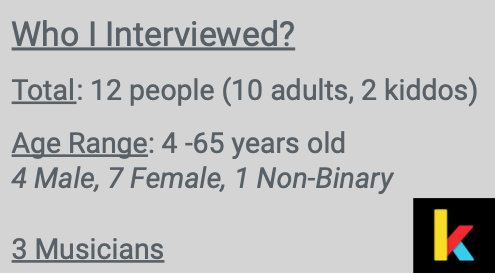
Keezy Classic is a musical instrument for toddlers, professional musicians, and everyone in between. My idea going into recruiting interviewees is to keep a wide range in age, and to find musicians as well as app users with a variety of expertise. I reached within my social and professional network and was able to find 12 people who met my criteria and were generously willing to participate in a 30 minute zoom interview.
Interviewing:
Before interviewing, I created a topic map to find any trends in brainstorming interview questions. From this, I realized a direct correlation with music creation, and learning. From here, I asked myself questions like:
What keeps them invested in apps? What apps do they frequent most and why?
What are their goals in life? What are they currently doing to achieve those goals? What is preventing them? Anything music related?
What is their relationship with learning? How do they learn best? What sources do they use?
The above questions are also example questions from my interviews. If I want to create longevity with my users, I need to get to know them on a more personal level. So let’s get to know them. I was able to get a lot of information out of my interviews. 13 pages of interview notes to be exact. I compiled important information and quotes throughout and created affinity maps and found the following trends throughout:
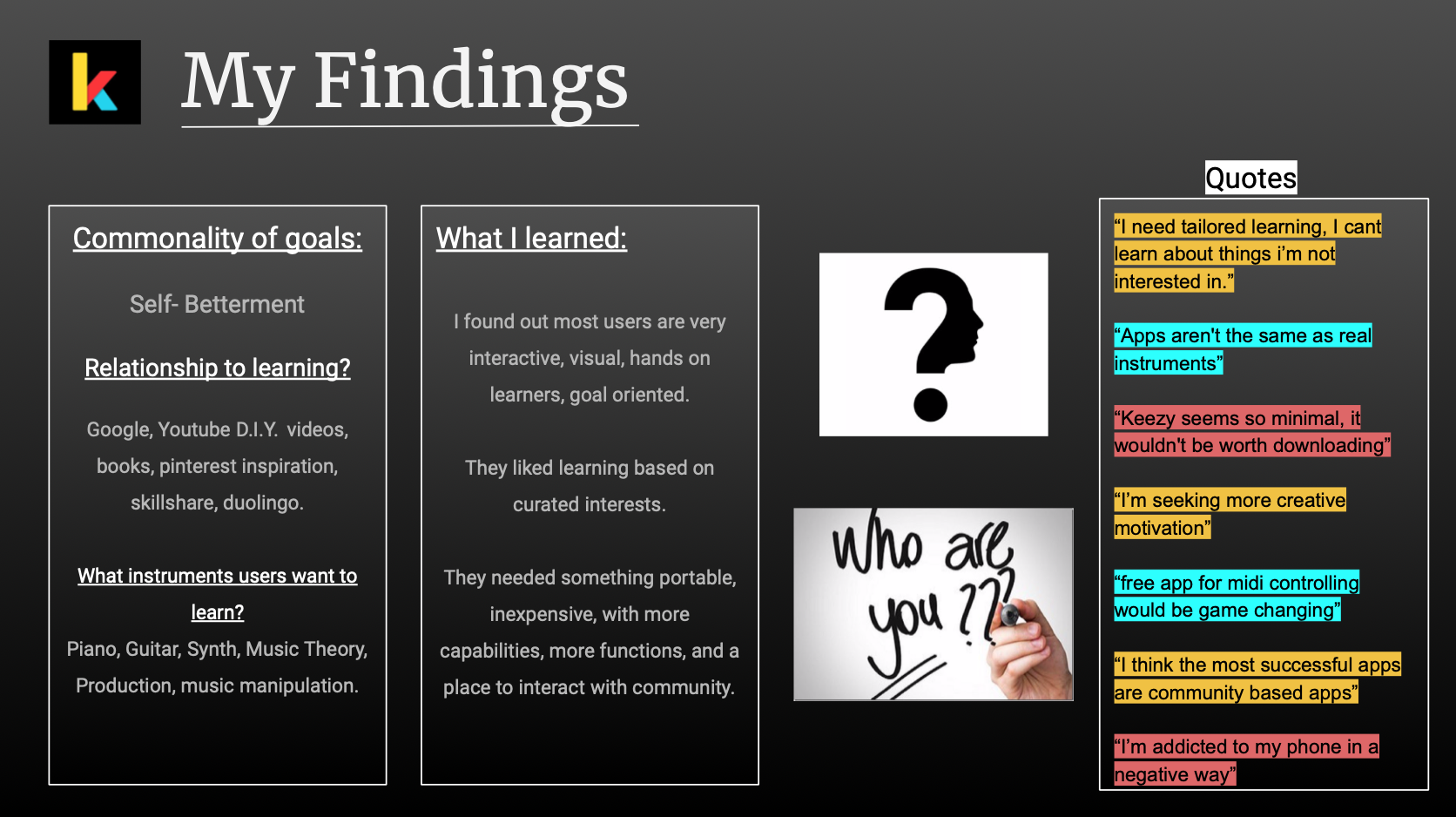
As I go, I like to write the top three memorable moments from each interview. As I’m doing this, I realize that the common theme among most people was the act or result of making oneself better through one's own efforts. Self-Betterment.
Every single person wanted to learn a new instrument, but something unique and curated to their interests to meet where they are in their learning journey.
Most people seemed to be interactive, visual, hands on learners who are goal oriented.
“App’s aren’t the same as real instruments.” - quote
“I’m addictive to my phone, in a negative way.” - quote
“Keezy seems so minimal, it wouldn’t be worth downloading.” - quote
Problems and Consensus
Trends Found:
People like personalized and curated learning, at their own pace
Community based apps are most popular
People like to be interactive, and hands on. They like more options, more functions, more capabilities. They want to be in control.
Most importantly, people want to reach their goals!
Problem:
Does Keezy Classic provide the above options to its users? No.
Consensus:
A full re-design is needed.
Competitive Feature Analysis
Throughout the interview process I took notes on what other apps people were using and what their relationship was with them.
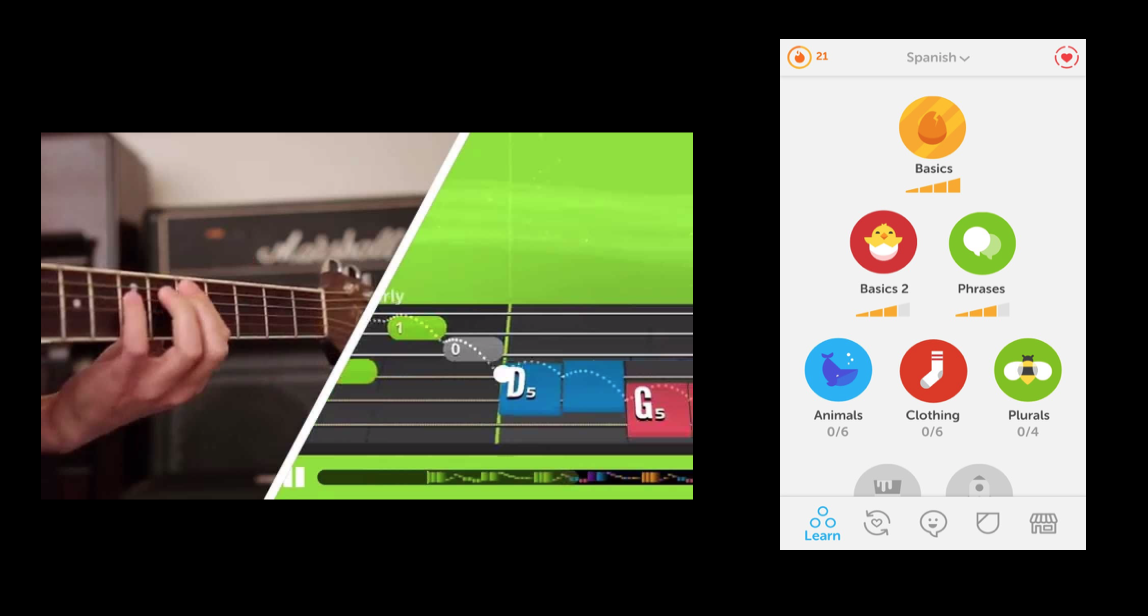
Duolingo was most mentioned for learning applications on the go.
Interviewees loved the pyramid learning structure
They liked how you learn at your own pace
Sense of community
After further competitive research, Yousician is the top leading interactive music service to learn and play musical instruments.
Interactive and curated based on interest
More options, more functions, more capabilities
Sense of community
Sketching
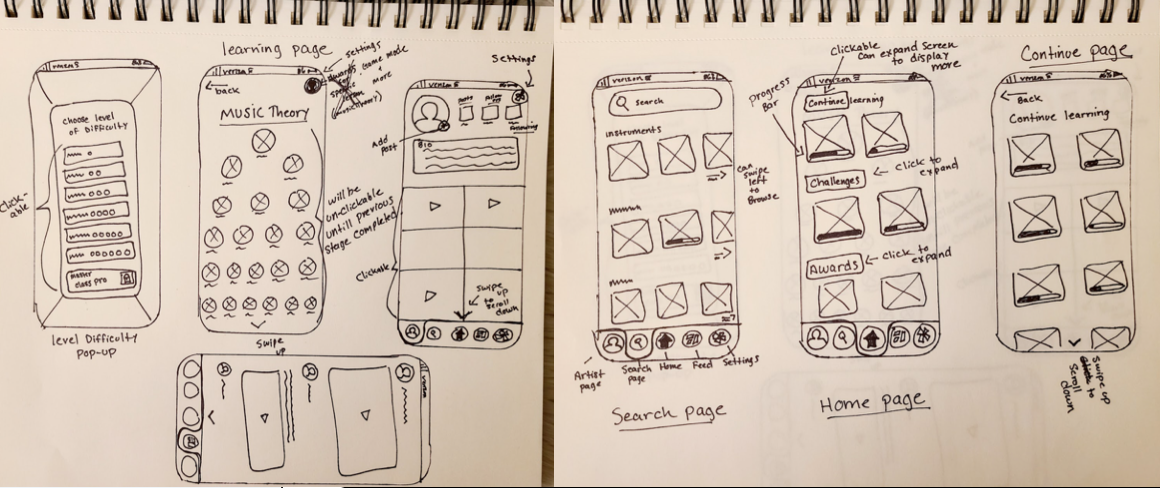
So how can I create an app that goes along with my commonalities and findings? How can I create a music based app that helps users reach their personal goals? How can I create an app that has different instruments, thats interactive, visual, hands on, curated, portable, inexpensive, with more functions?
Time for ideation!
Testing & Feedback
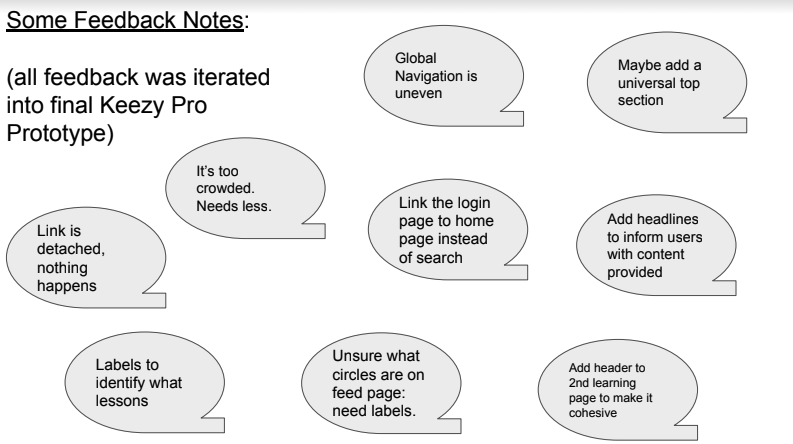
Details:
7 Usability Tests were conducted after first initial prototype
20 minute zoom sessions scheduled through Calendly
Task and scenario based
Task Examples:
Login and rest at home page
Explore app and speak your process out loud
Show me how you would begin a intro to piano lesson
Introducing Keezy Pro
(full redesign - low fidelity proto)
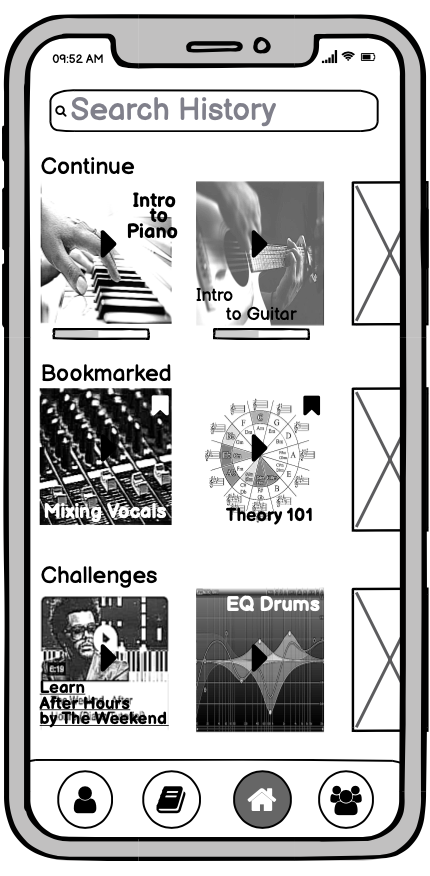
Users will be able to access lessons and challenges they have already started. The progress bar will represent how far users have advanced in each specific lesson. Users are also able to access lessons and challenges they have bookmarked (tap & hold).
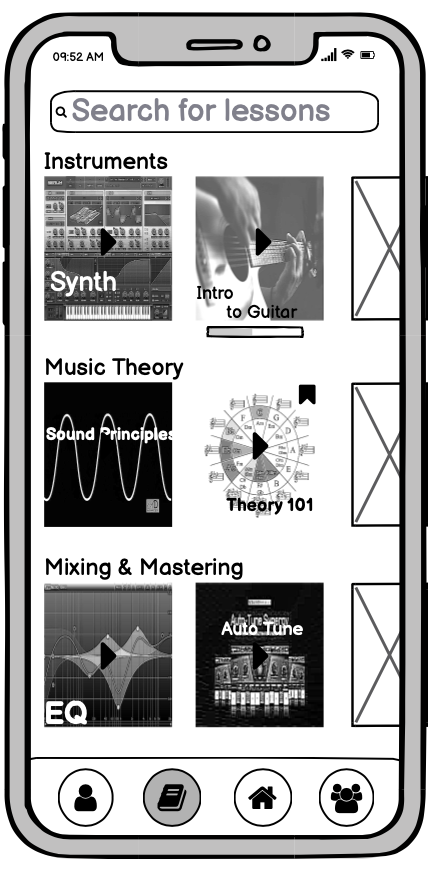
Users can swipe left in each category to show more options, or simply search for specific lesson. Users will also be able to swipe up to look at more options below.
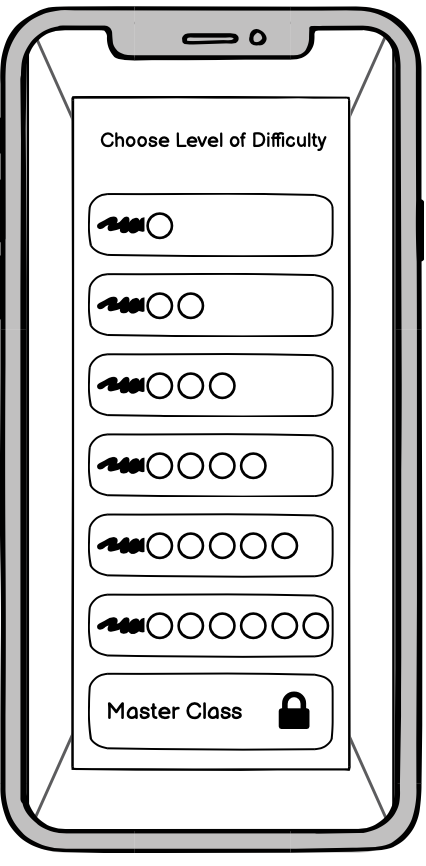
Here, users will choose the level of difficulty they desire. One being very beginner (kid friendly) , and six being professional.
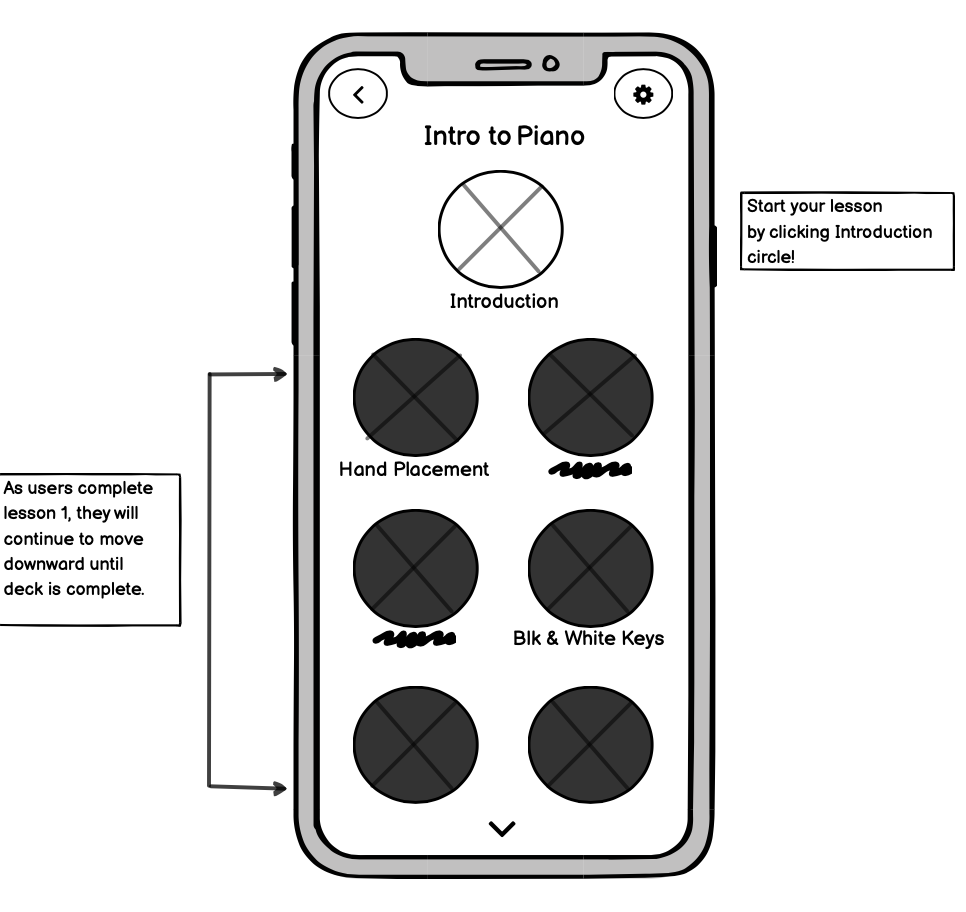
Here, users can access their lessons. This interface will be the same for each lesson deck. As users complete lesson 1, they will continue to move downward until deck is complete. Once deck is complete , users will receive an award. (you can see all awards on profile page)
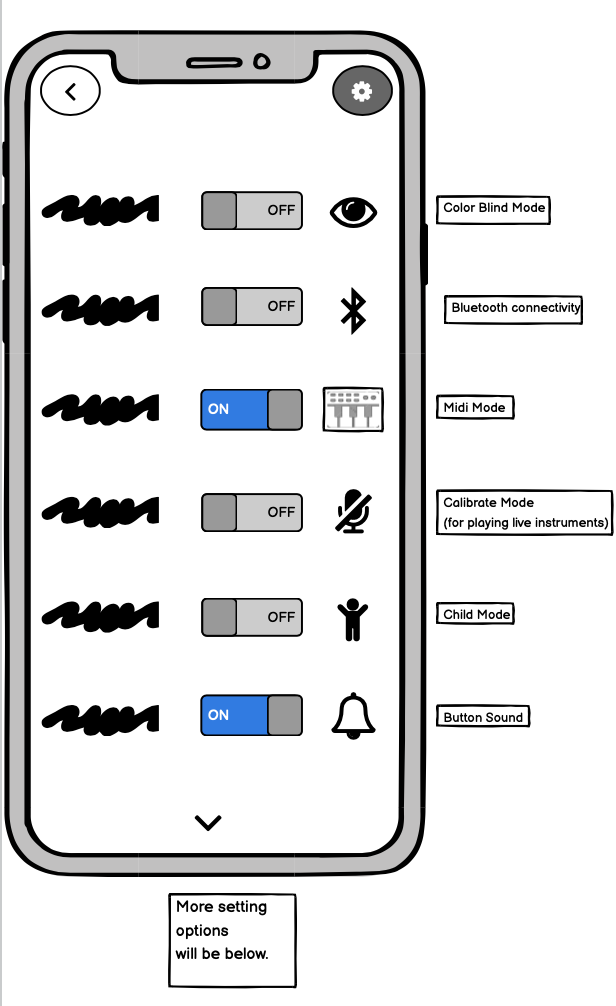
Users are able to modify settings based on the learning preferences they desire. For example: If a user is colorblind. They can switch to colorblind mode. If a user wants to plug in a midi controller and play along with lessons they can switch to midi mode. If a user has real instruments they prefer to play with, they can switch to calibrate mode. The phone will then access users microphone and detect sound played along with lesson. If user has children. User can click 'child mode' this will restrict all x rated music.
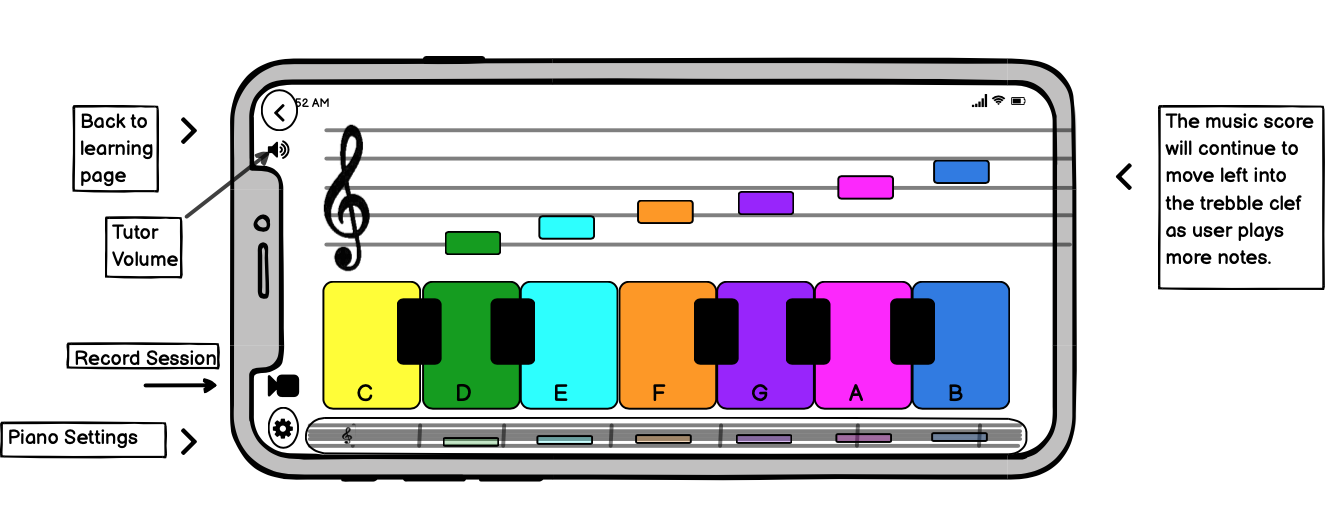
This is an example of a user playing Piano in default mode. (where all instruments are played on phone).
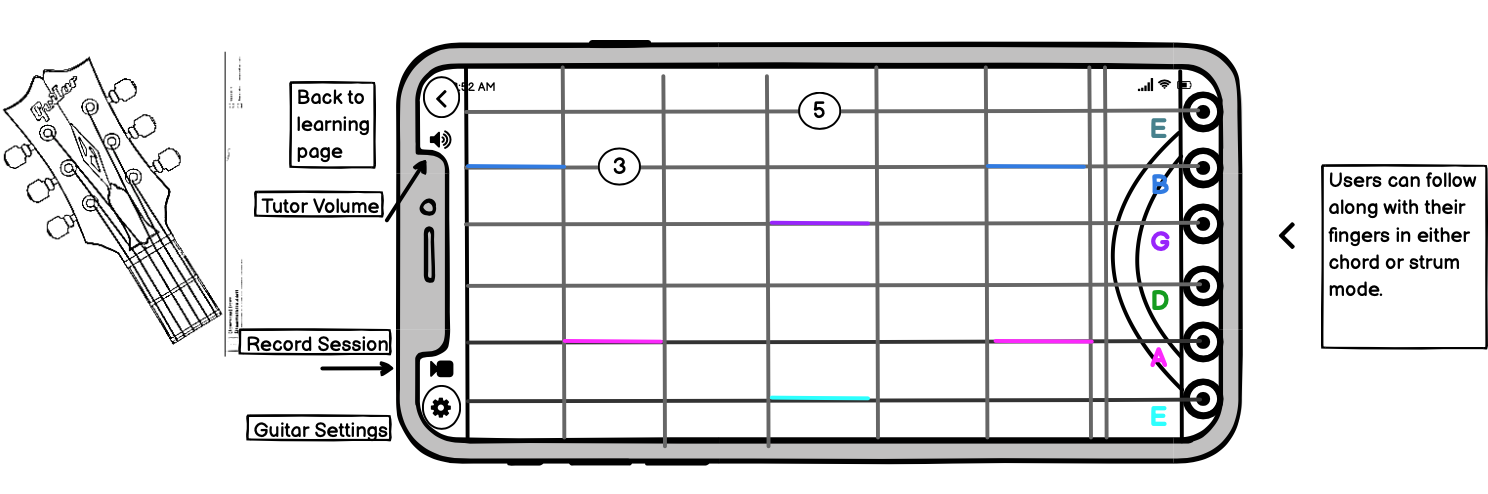
This is an example of a user playing guitar in default mode. (where all instruments are played on phone). For strumming practice, strings will light up and users must follow with their fingers. The circled numbers you see are chords. The number represents what finger users should use, and the location.
Next Steps:
More user testing
Higher fidelity mock up
Moving forward - jam sessions, jam and play together in real time (think rock band) and share sessions, integrated with other streaming platforms so users can turn their creations into something tangible if they wanted to
Keezy Pro- Won’t be an app that distracts its users in a negative way, but instead helps influence our users in reaching their goals, makes learning fun, interactive, and allows anyone to express themselves through music, on the go, in the palm of their hand.